
Rewind
Return to that day. Pick up the thread.
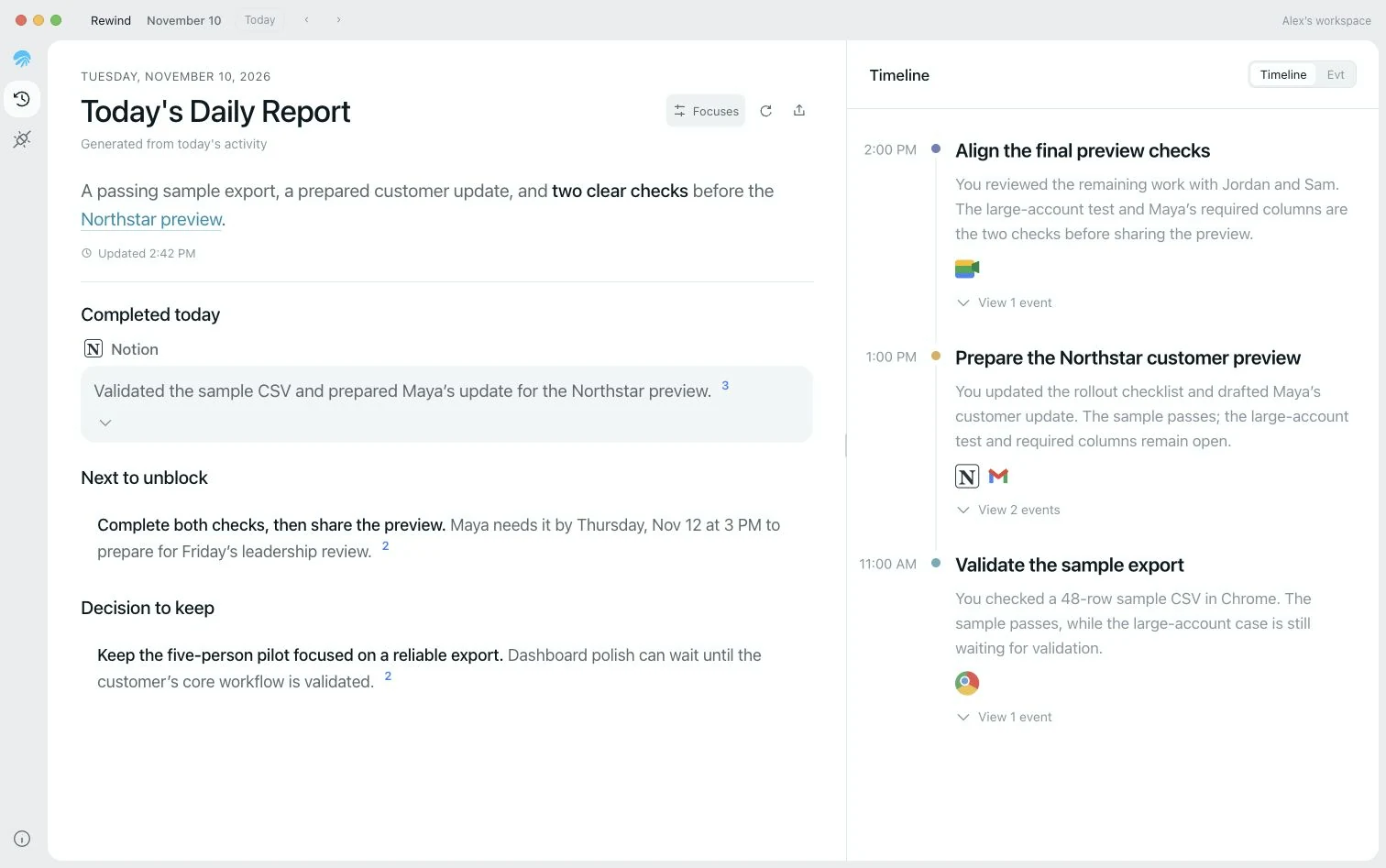
Read your daily report and timeline, then trace the day’s progress back to the original records.
Daily reports · Timeline · Event previews
AirJelly turns what you see and do on your screen into context, so you and your AI agents can recall and act on it.
Let your context compound
Automatically creates a daily report and timeline from your activity.
Who we build for
 AirJellyRewind · Example
Yesterday · Northstar project
Sample export passed
The fields and data in the 48-row CSV have been checked.
Two checks before delivery
Test a large account and confirm Maya’s required columns.
Next iteration
Validate a real account first. Save UI polish for later.
Use the same sample checks on a large account, then decide whether to fix or deliver.
Google Chrome · Yesterday, 11:15: The 48-row sample CSV passed. Scale validation has not started.
Notion · Yesterday, 13:20: Two preview checks remain: a real-account test and the customer’s column confirmation.
Gmail · Yesterday, 13:35: The customer update is drafted and has not been sent.
How it works
With your permission, capture the context that appears on screen in your work apps.
Turn scattered activity into memories, daily reports, and timelines, with sources attached.
Find relevant context when you need it, answer questions, and trace the original records.
Features
Read your daily report and timeline, then trace the day’s progress back to the original records.
Daily reports · Timeline · Event previews
Ask questions with your work records, reflect on your habits, and decide what to do next.
Understand me · Review · Next steps · Improve myself
Connect Codex or Claude Code and use your work context in the Agent you know best.
Codex · Claude Code · Memory sources
Privacy
Screenshots are encrypted and stored on your device. Pause capture anytime, or exclude specific apps.
Explore privacy controls →Download
Start with the work already on your screen, and keep going with Chat, Rewind, and Recall.