Install AirJelly and Sign In
Set up AirJelly on your desktop, sign in, grant the permissions it needs, and start your first session.
Supported Devices
Requires Windows 10 or later, on a 64-bit (Intel or AMD) processor. To install, run the EXE and follow the setup prompts.
Requires an Apple Silicon Mac (M1 chip or later) running macOS 12 Monterey or later. To install, open the DMG and drag AirJelly into Applications.
Grant Accessibility and Screen Recording
- Accessibility: Enables keyboard shortcuts and helps AirJelly understand the active app.
- Screen Recording: Lets AirJelly capture your screen to build context. You can pause Smart Capture any time you need privacy.
Sign In Inside AirJelly
Sign in to AirJelly, then follow the in-app instructions to finish setup.
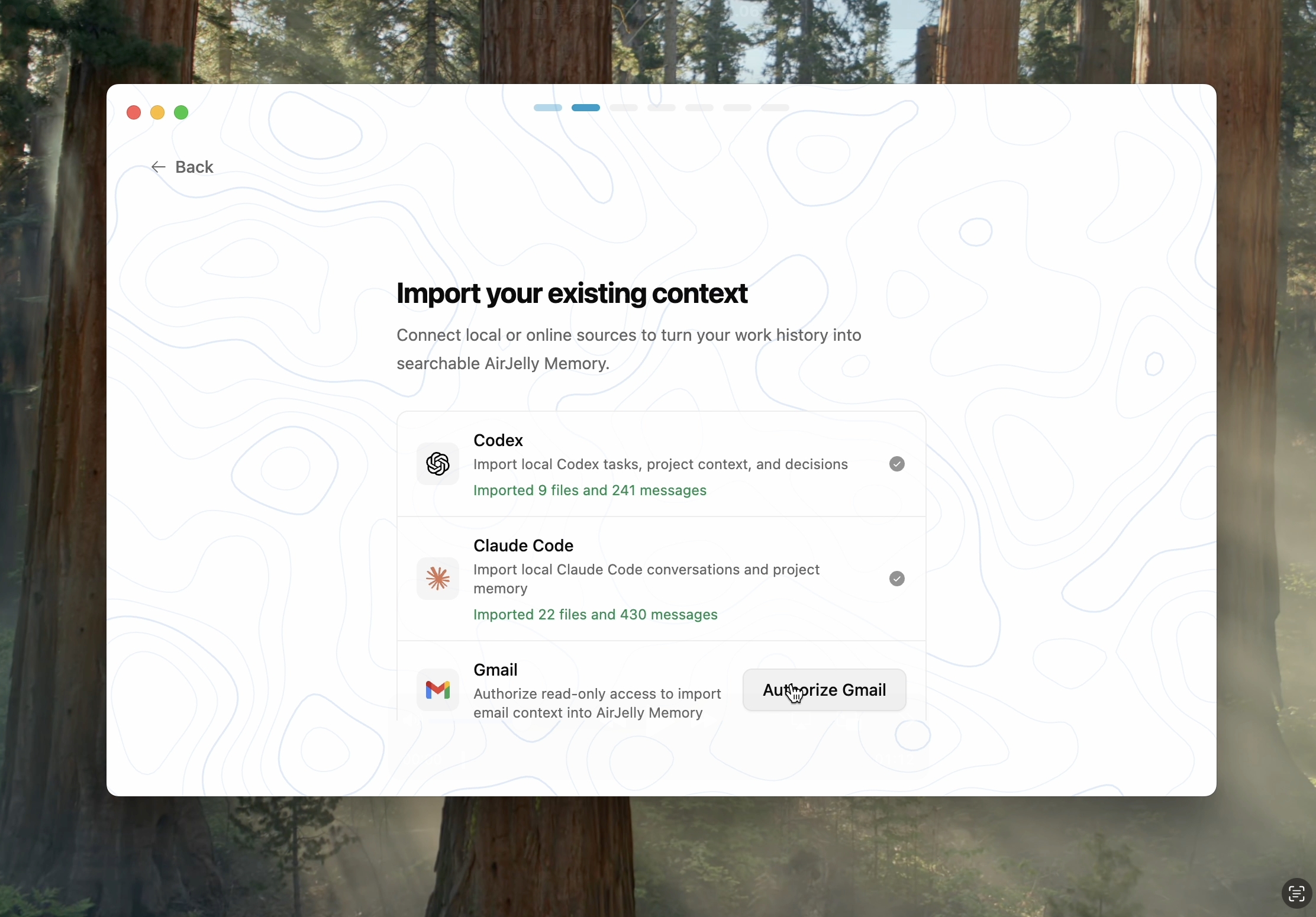
During setup, you can choose to connect three main sources of past context on your computer. This helps AirJelly understand your previous work and offer relevant feedback from the start.
This step is optional. You can skip it now and enable it later in the app, after you have spent some time using AirJelly.
Common Questions
What should I do if the download won't start or keeps failing?+
Check your internet connection and try again — an unstable connection or a browser extension can interrupt the download. If it still won't complete, try a different browser, or reach out on Discord and we'll send you a direct link.
Why won't AirJelly open after I install it?+
If you previously used AirJelly 1.0, its saved permissions may conflict with the new version. Quit AirJelly, open System Settings → Privacy & Security, remove the old AirJelly entry under Accessibility and Screen Recording, then reopen the current app from Applications and grant permissions again.
How do I update AirJelly to the latest version?+
Open Settings → Updates and click Check for Updates — AirJelly downloads and installs it for you. You can also always grab the latest installer from the download page.
How do I reinstall AirJelly or start fresh?+
Quit AirJelly, move it to Trash (macOS) or uninstall it from Settings → Apps (Windows), then download the latest installer and set it up again. Signing back in restores your account and memory — nothing is lost by reinstalling the app itself.
Need Help?
Still having trouble? Join our Discord community or contact support. Share your AirJelly version, macOS version, and the step that failed.
Join our Discord community Contact us